Client review and approval
Your client approves
from a link. What
they approve goes
on your invoice.
Your clients live in WhatsApp and email, and some never open a laptop to watch a cut. They will not make yet another login to leave you a note, and they should not have to.
So they do not. Your client taps a link in the chat you already use. They see your logo, type their name and email, and they are in. No account. No password. They draw on the frame, comment on the second that bothers them, and press approve.
On your side, the approval does not sit in a chat thread. Their comments become revisions, the revisions count toward the rounds you agreed, and approved work goes on the invoice.
- No account, no password required
- Your logo and colors, not ours
- Every reviewer is free, however many
- You decide what client can see, review and download.
Invite the brand manager, the marketing lead and the person who signs off. None of them is a paid seat.
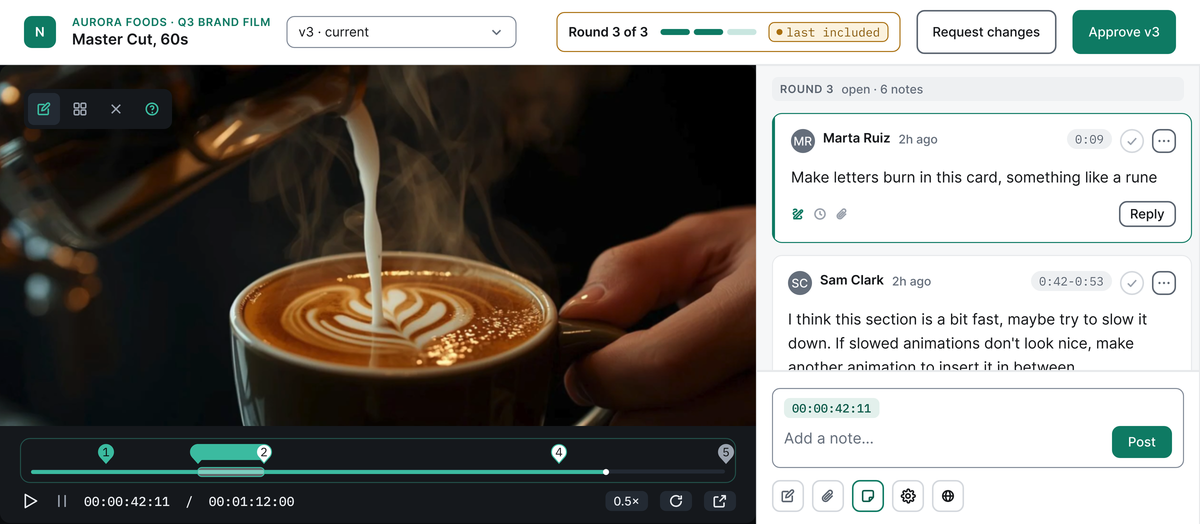
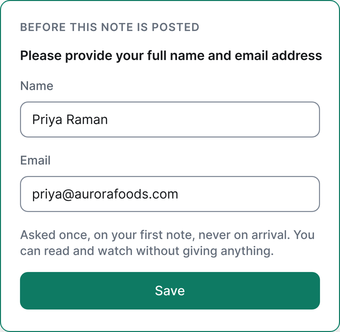
Example workspace
Video, images, PDFs and
documents. Every note lands
on the spot it is about.
Right now the notes arrive in WhatsApp, email, a call and a PDF with circles on it. Someone turns them into one list. Usually you. In EditWise every comment sits on the frame, the page or the line it is about, in one room for all four file types.

| File type | What your client can do | Status |
|---|---|---|
| Video | Comment at a moment or across a time range, draw on the frame, scrub through, pick the version to review, compare two versions, attach a file | Live |
| Image | Draw and mark up, reply in threads, compare two versions | Live |
| Comment on a page, draw on the page, select text and comment on it | Live | |
| Document | Select text and comment on it, draw, reply in threads | Live |
What you get on your side
- Every comment has a thread and a status, and you can search and filter them.
- Drag any comment into a revision, whatever the file type.
- Every version stays in the history with its own comments.
- Mark a deliverable internal, and your client never sees it.
The script is your first deliverable. Now it gets versions and rounds like the cut.
A video job starts with a script, and today the script sits in a shared document. Three people comment on it, nobody keeps versions, and later nobody is sure which draft the client signed off.
In EditWise the script is a deliverable like the cut. Your client selects a line and comments on it, you upload the next version, and the rounds count the same way. Copy, articles and release text work the same. If it is text your client has to approve, it goes in the same room.
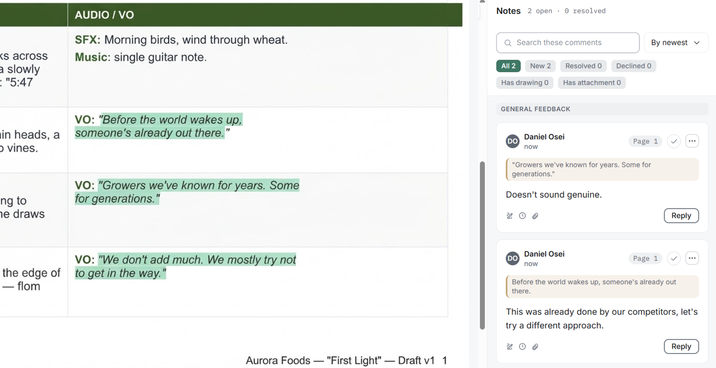
Example workspace
One button to
approve. The
round count is on
the same screen.
When the work is right, your client presses approve. Before they comment, they see which round they are in, such as Round 2 of 3. If a comment would start a round past what contract defines, they see its price before they send it, and the choice is theirs. Only with their yes does it become a line on the next invoice, at the rate you agreed.
How you set the rounds and bill them: Revision rounds and invoicing.
EditWise produces the commercial invoice that carries the line-item record of what was delivered and what was approved, and you file it through your own compliant system.
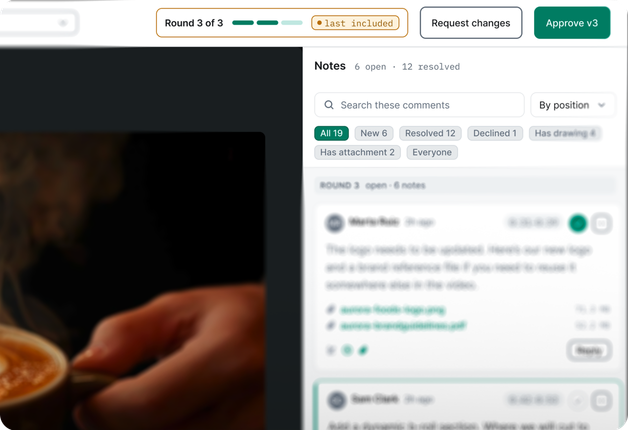
Example workspace
What it does not do yet. Better you hear it from us.
Some video teams need these. If you do, you should know before the first call.
-
No live, synced review. You and your client cannot watch the same playhead together. Your client reviews from the link, on their own time.
-
Comments are timed to the millisecond. They cannot point at a single frame inside that millisecond.
-
No plugin for your editing software. Your editor exports the cut and uploads it.
-
No previews from YouTube or other links, and that will not change. You upload the file, so every version, comment and approval stays together.
Do clients need
an account to review
and approve work
in EditWise?
No, it is not required. In EditWise, clients can review and approve from a link the agency sends in any chat or email, if you allow that. The client types a name and an email address and starts reviewing, with no account and no password. The review screen carries the agency’s logo and colors, not EditWise’s. On a video, the client can comment at a moment or across a range, draw on the frame, attach a file and approve. Reviewers never cost a seat: client contacts, external reviewers and anyone who only views, comments or approves are free, with no cap. Images work the same way, and from 1 November 2026 so do PDFs and text documents such as scripts.
Frequently asked questions
Can clients draw on the frame?
Yes. Your client pauses the video, draws on the frame and types the note, and the drawing stays with that moment. They can draw on images too, and from 1 November 2026 on PDFs and documents.
Do reviewers cost a seat?
No. A paid seat is anyone who is assigned work or logs time. Free and uncapped: client contacts, external reviewers, guest approvers, stakeholders, and any collaborator who only views, comments or approves.
Can scripts and PDFs go through the same rounds?
Yes, from 1 November 2026. A script or a PDF is a deliverable like a cut. Your client selects text and comments on it or draws on the page, you upload new versions, and any comment can go into a revision that counts toward the same rounds.
Can clients review on a phone?
Yes. The client portal is responsive and opens in any browser, so your client can open the link on a phone and watch the cut. We are still finishing the touch pass that makes every control big enough for a thumb. Until it ships, a few small controls are easier with a mouse.
Do clients see EditWise branding?
They see your logo and your colors, not ours, across the portal, its sign-in pages and the review screens. The web address is your workspace’s own address on editwise.app/your-alias. Custom domains are not available.
What if a client still sends notes on WhatsApp?
Some will, at first. Log the conversation against the client so the note sits on record with the job, and reply with the review link.
See your client’s side
on your own work
Pick a time. The first call is 10 minutes. We build your workspace after it, with your logo and two or three deliverables in the file types you really deliver, and walk you through it on the second call. Open the review link there, the way your client would.
Pick a timeWe will have your workspace built when you arrive.
That is the whole thing.