Client request forms
Client requests arrive
as projects, in a form
built from the questions
you already ask.
Right now a new job arrives as a voice note, an email with three attachments and a call you took between two meetings. Someone turns it into a project. Usually you. The deadline, the extras and what the client really asked for live in somebody’s memory, until the client remembers them differently.
With EditWise, your client fills in your form and it lands as a project, with every answer in it.
- You define each field, your required questions
- You accept or decline, and your client sees which
- Build as many custom forms as you need and share each one with your clients, you decide which ones
- A public form for people who are not clients yet
The first call is 10 minutes. We build your workspace after it, first request form included, and walk you through it on the second.
Design the form once.
Every request arrives with
the answers you asked for.
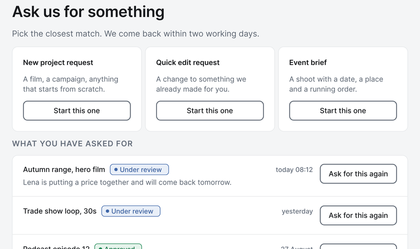
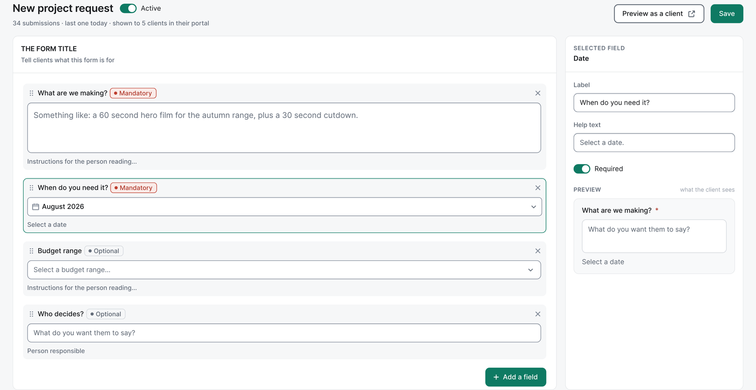
Build the form the way you take a brief today. Or as many as you need. Pick the field types, set the answers you allow, and mark what is required. Make the deadline required, and no request arrives without one. Then assign each form to the clients who should use it: a shoot request for one client, a monthly content form for another.
-
What your client sees
Your client opens your portal and presses the request button. It carries your own label, such as New edit or Book a shoot, because the button takes the name you give the form. They fill it in and send it.
-
What you get
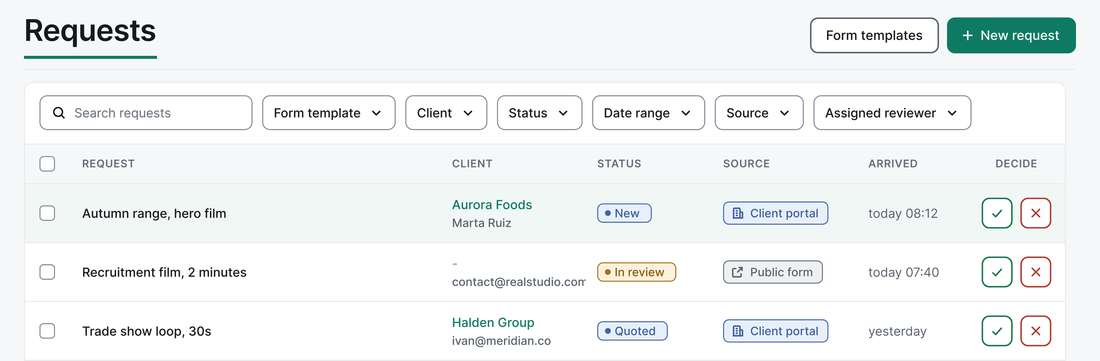
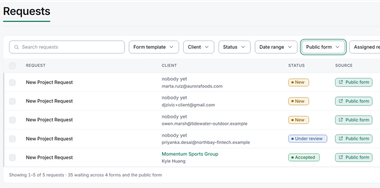
The request lands in your queue as a project, with every answer in its field. Accept it or decline it, and your client gets notified in the portal right away. Nobody retypes a voice note into a project.
A request form for
people who are not
your clients yet.
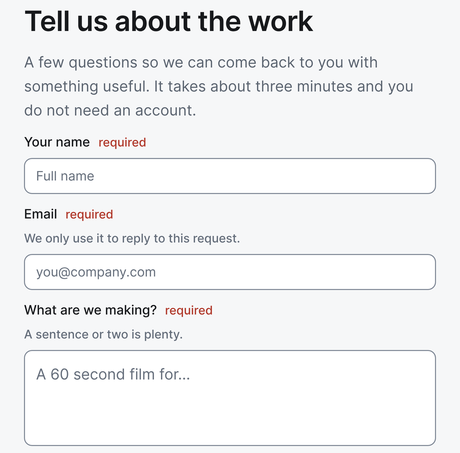
Publish a form at a public link. Anyone can open it and send a request without an account: a prospect, a referral, a new contact at a brand you already work with. Link to it from your website’s contact page, or send it straight to a prospect. The link lives on your editwise.io address.
Each request lands in your queue with the sender’s details. Accept it, and EditWise creates the client record, or attaches the request to a client you already have. Rate limits and spam protection are on the form from the day it launches.
Of everything we had not built yet, agency owners asked for this most.
Example workspace
What a form will not do,
on purpose.
A form will not bill your client, and it will not change the price as your client ticks extras. That is a choice, not a gap. Extras get priced where your client can see them: in the revision rounds, where the price shows before they send, and on the invoice, line by line. See Revision rounds and invoicing.
EditWise produces the commercial invoice that carries the line-item record of what was delivered and what was approved, and you file it through your own compliant system.
How can clients send new work requests without WhatsApp or email?
Clients send new work through a request form instead of a message. In EditWise, the agency designs its own forms, choosing the field types, the allowed answers and the required questions, and assigns each form to the clients who should use it.
The client opens the agency’s branded portal, presses a request button that carries the agency’s own label, and fills in the form. The request arrives in the agency’s queue as a structured project. The agency accepts or declines it, and the client sees the status. From 1 November 2026, a public request form also lets people without an account, such as prospects, send a request from a link.
Your first request form,
built before the second call.
Pick a time. The first call is 10 minutes. We build your workspace after it, including one request form made from the questions on your own contact or brief page, and walk you through it on the second call.
Pick a timeWe will have your workspace built when you arrive.
We build your first form from the questions you already ask, before you decide to buy.